
PRACTICAL DIGITAL GUIDE
Sell Physical Products on Etsy with AI
$19.99 $39.99
A clear, beginner-friendly guide designed to help you understand the process and take practical action.
- Instant digital access after purchase
- Step-by-step, beginner-friendly guidance
- Read on your phone, tablet, or computer
- Secure checkout
Look inside the guide
Real pages from the guide. Tap a page to enlarge it and explore before you buy.


Explore the contents
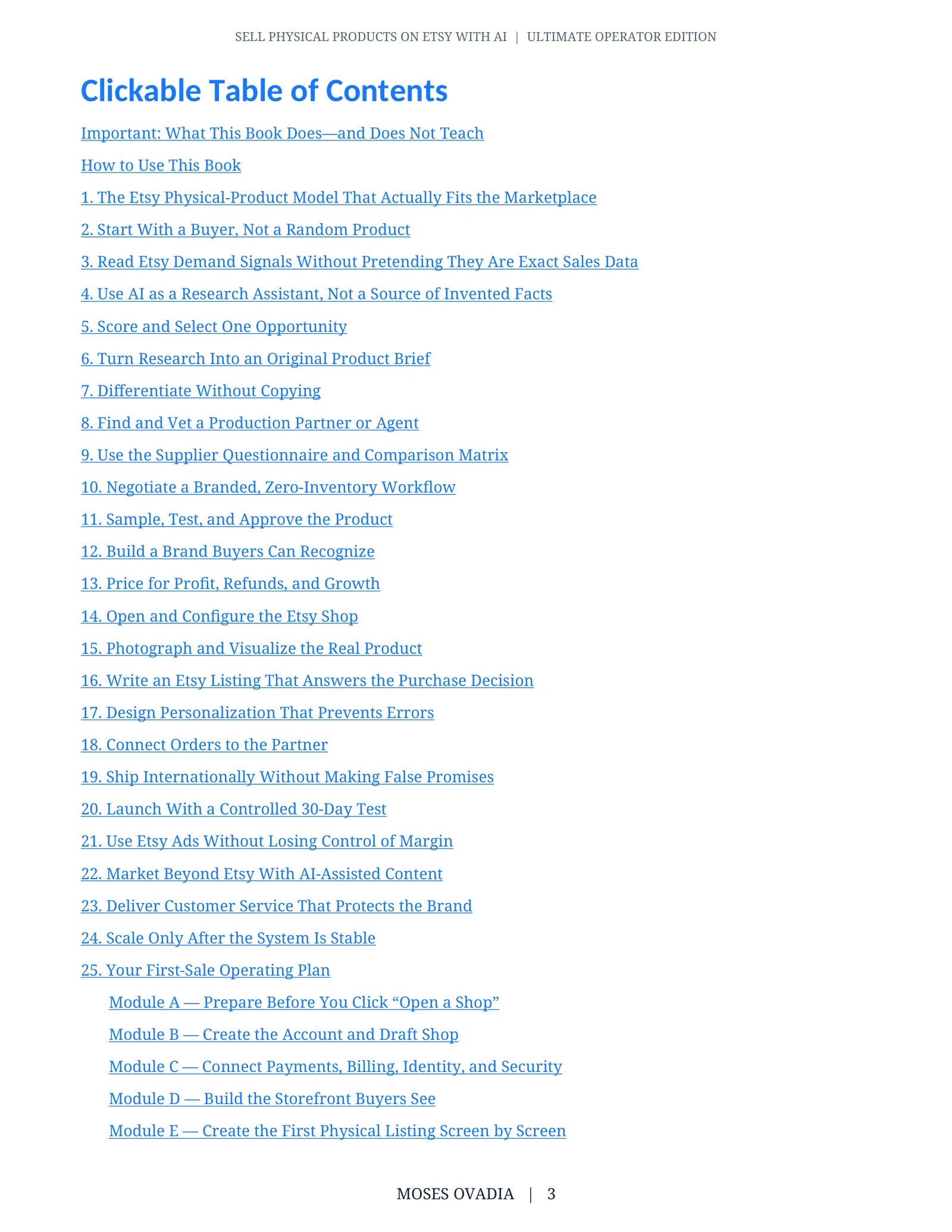
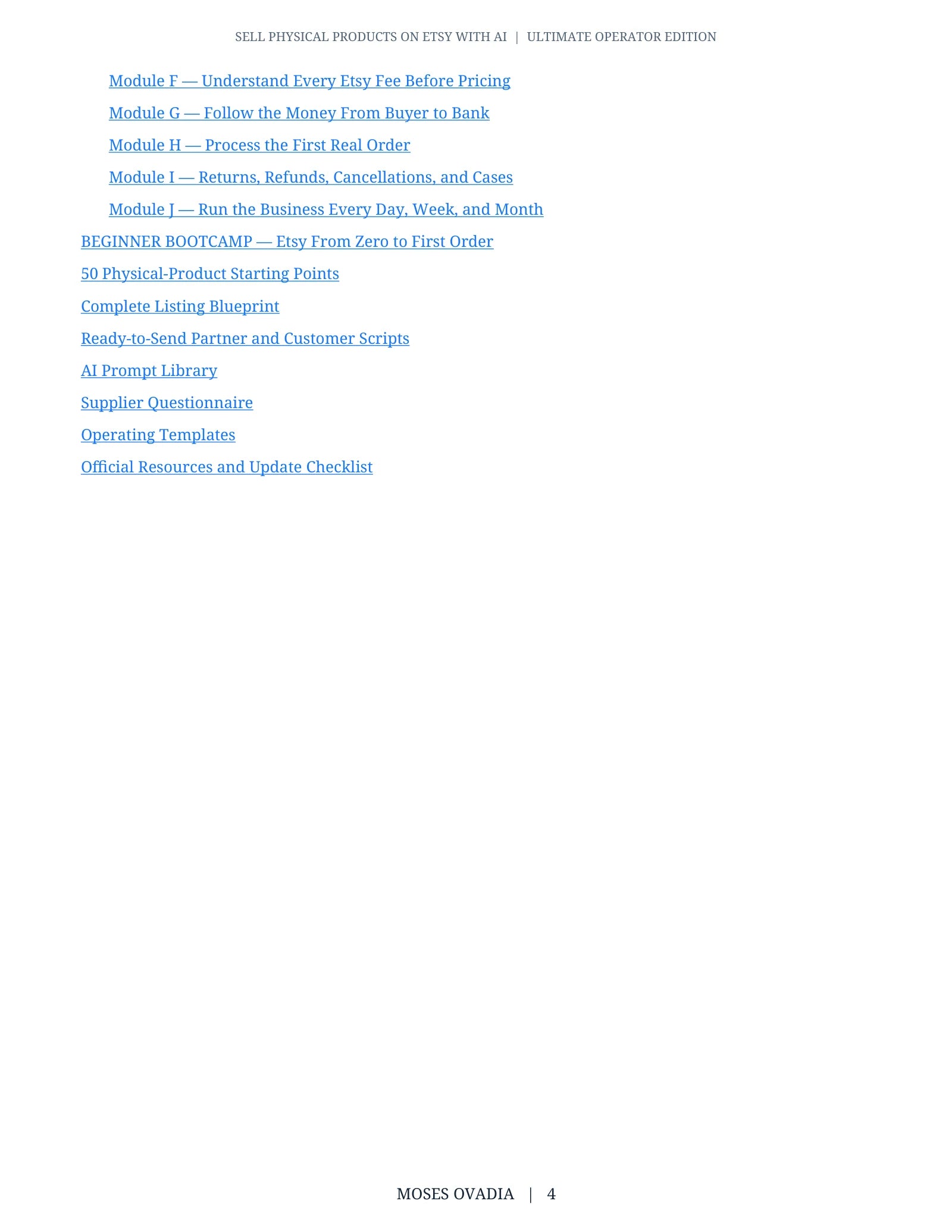
Read sample as text
Page 6
Module A — Prepare Before You Click “Open a Shop”
Step 1: Create a business workspace
Make a dedicated business email address, a secure password-manager entry, and folders named 01 Identity and Tax, 02 Product Evidence, 03 Supplier, 04 Samples, 05 Brand, 06 Listings, 07 Orders, 08 Finance, and 09 Customer Service. Identity and banking files stay private and are never placed in public folders or AI prompts.
Step 2: Collect onboarding information
Prepare your legal name, physical address, phone, government ID, clear camera access for identity verification, bank-account information whose name matches your identity, a valid credit/debit card for Etsy charges, taxpayer/business classification, and the country from which you truly operate.
Step 3: Choose the operating country honestly
Your shop country, bank country, identity and tax information must represent the real business. Do not use borrowed identities, VPN tricks, false addresses, or a bank account that belongs to somebody else.
Step 4: Write the pre-opening checklist
Do not start onboarding until you can tick: eligible Etsy Payments country; permitted product lane; shop language chosen; bank currency understood; three possible names checked; first listing assets available; production partner information ready; setup fee budgeted.
Do this now
Complete the steps in your live draft shop or controlled project file. Capture a sanitized screenshot or written record of the result. Do not continue until the result can be checked without relying on memory.
You are finished when
Every field named in this module has a verified value, the screen or record has been reviewed once on desktop and once at phone width where relevant, and every unknown is marked with an owner and next action.
Page 7
Module B — Create the Account and Draft Shop
Step 1: Open the correct page
On a desktop browser, visit Etsy.com/sell and select Get started. Sign in to an existing Etsy account or create one with the dedicated business email. Confirm the email before continuing.
Step 2: Answer onboarding questions
Etsy may ask about your selling experience and goals. Answer accurately. These questions do not replace identity, product, or policy checks.
Step 3: Set shop preferences
Choose the shop language you can use for listings and customer communication; Etsy states the default language cannot simply be changed later. Choose the real shop country. Choose listing currency after comparing it with the currency of the payment bank account because conversion fees can apply.
Step 4: Choose the shop name
Enter a 4-20 character name with no spaces or special characters, no profanity, no existing use, and no trademark conflict. Search the web, Etsy, relevant trademark databases, domains and social handles. Availability in Etsy is not legal clearance.
Step 5: Save the draft
Select Save and continue after each screen. Record the chosen language, country, currency and name in the shop-control sheet; take no screenshot containing bank, ID, address, tax, or card information.
Do this now
Complete the steps in your live draft shop or controlled project file. Capture a sanitized screenshot or written record of the result. Do not continue until the result can be checked without relying on memory.
You are finished when
Every field named in this module has a verified value, the screen or record has been reviewed once on desktop and once at phone width where relevant, and every unknown is marked with an owner and next action.
Secure checkout with Digistore24. Refund terms are shown at checkout.
Sell Physical Products on Etsy with AI
Build an Etsy business around original physical products without purchasing large amounts of inventory, using artificial intelligence to support your research, branding, content, and marketing.
Sell Physical Products on Etsy with AI is a practical, beginner-friendly guide that walks you through the complete process of finding product opportunities, developing an original offer, working with production partners, creating professional listings, fulfilling orders, and growing your shop.
Inside, you’ll discover how to:
• Understand how selling physical products on Etsy works
• Research customer demand, competitors, trends, and profitable niches
• Use AI to generate and evaluate original product ideas
• Develop products that offer clear value and stand out from competitors
• Find and assess suitable suppliers or production partners
• Calculate product, packaging, shipping, and marketplace expenses
• Build a recognizable brand and professional shop identity
• Create attractive product photographs and listing images
• Write effective titles, descriptions, tags, and customer messages with AI
• Price products for profit while remaining competitive
• Manage inventory, processing times, packaging, shipping, and returns
• Provide reliable customer service and handle common order problems
• Promote products through social media, content, email, and advertising
• Follow Etsy policies and avoid intellectual-property violations
• Turn successful products into a scalable online business
Whether you want to sell handmade products, customized goods, private-label items, or products fulfilled by a production partner, this guide provides a clear step-by-step plan for building and growing a professional Etsy shop.
Format: PDF Digital Guide
Language: English
Delivery: Instant digital download
This guide teaches a business method. No physical product is included or shipped with this purchase.